

Step 2 - Enter Submission Details (For ENLS applicants only)
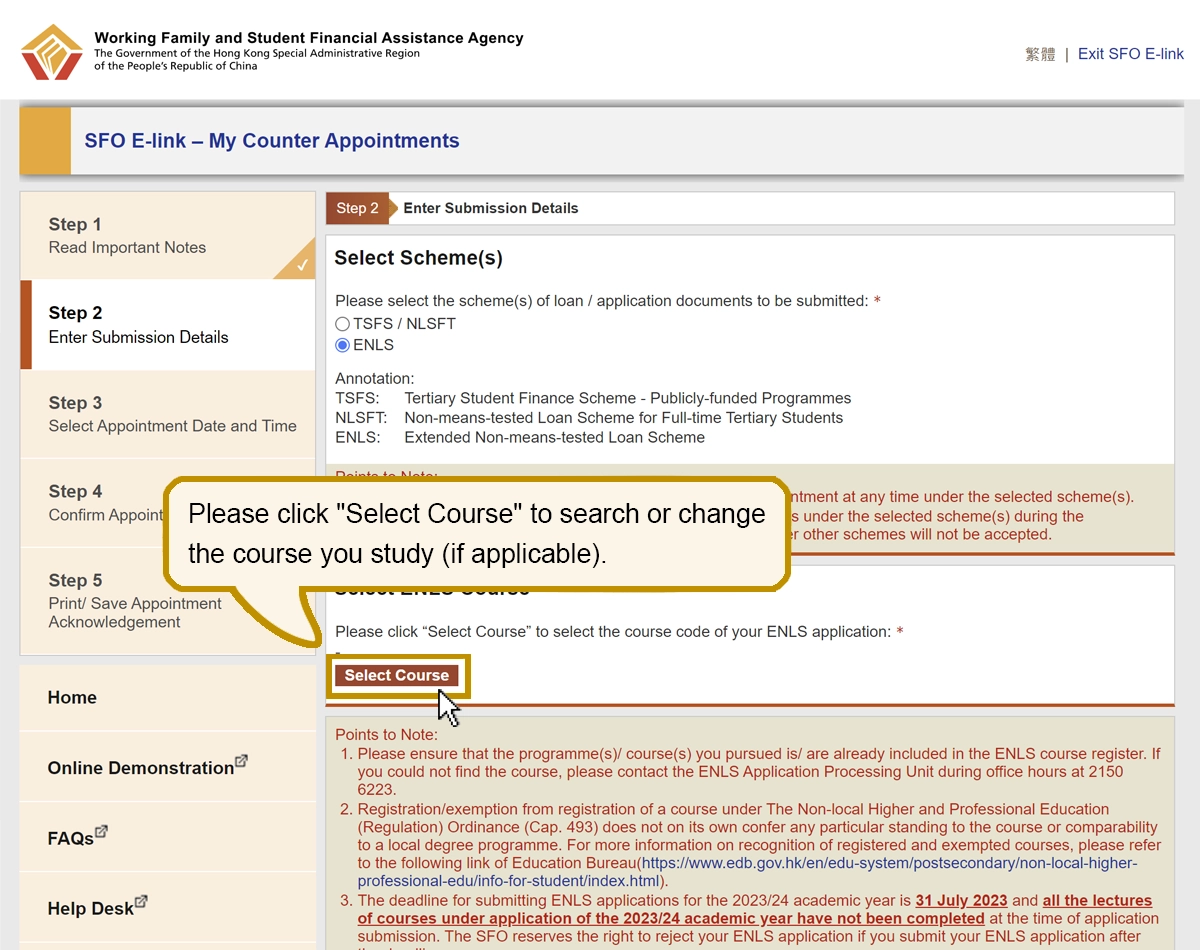
Please click "Select Course" to search or change the course you study (if applicable).
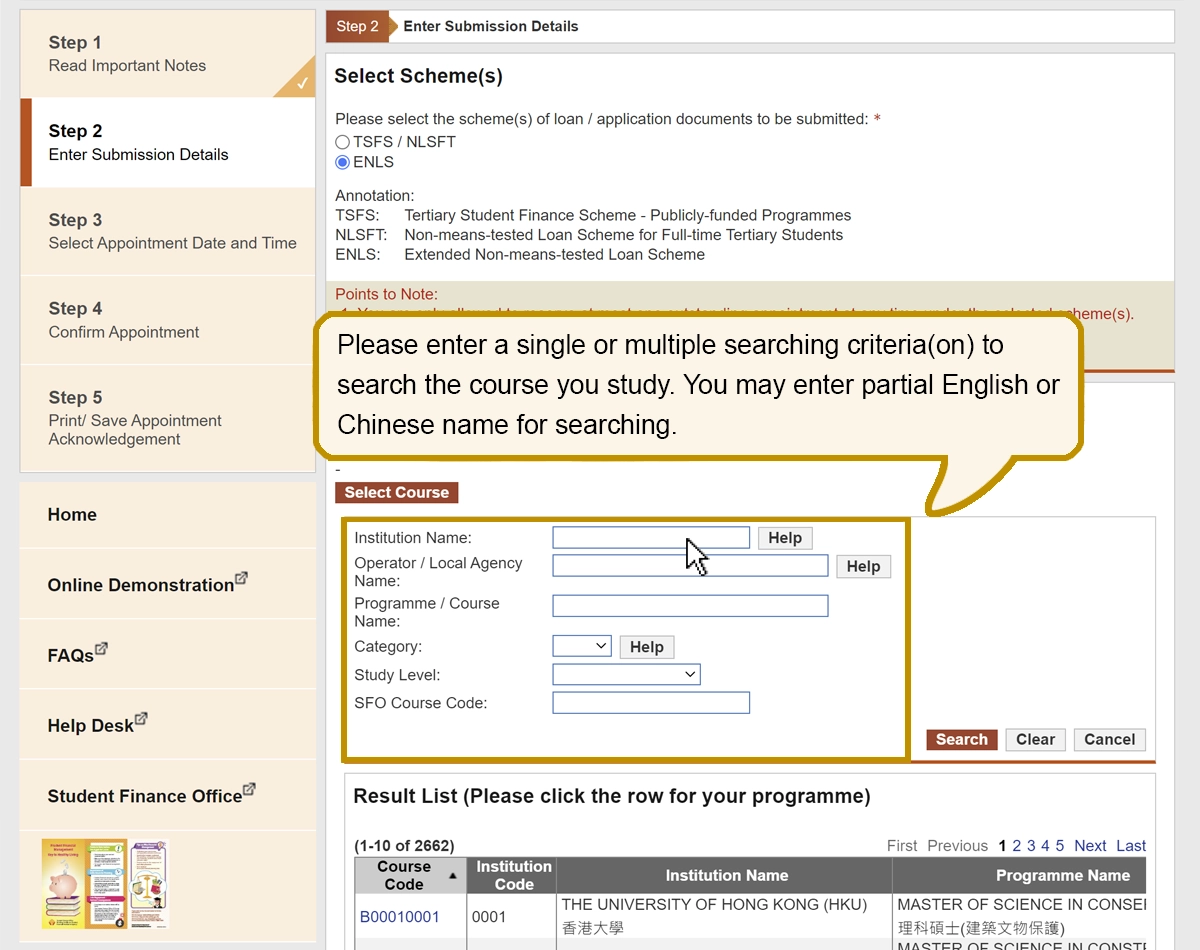
Please enter a single or multiple searching criteria(on) to search the course you study. You may enter partial English or Chinese name for searching.
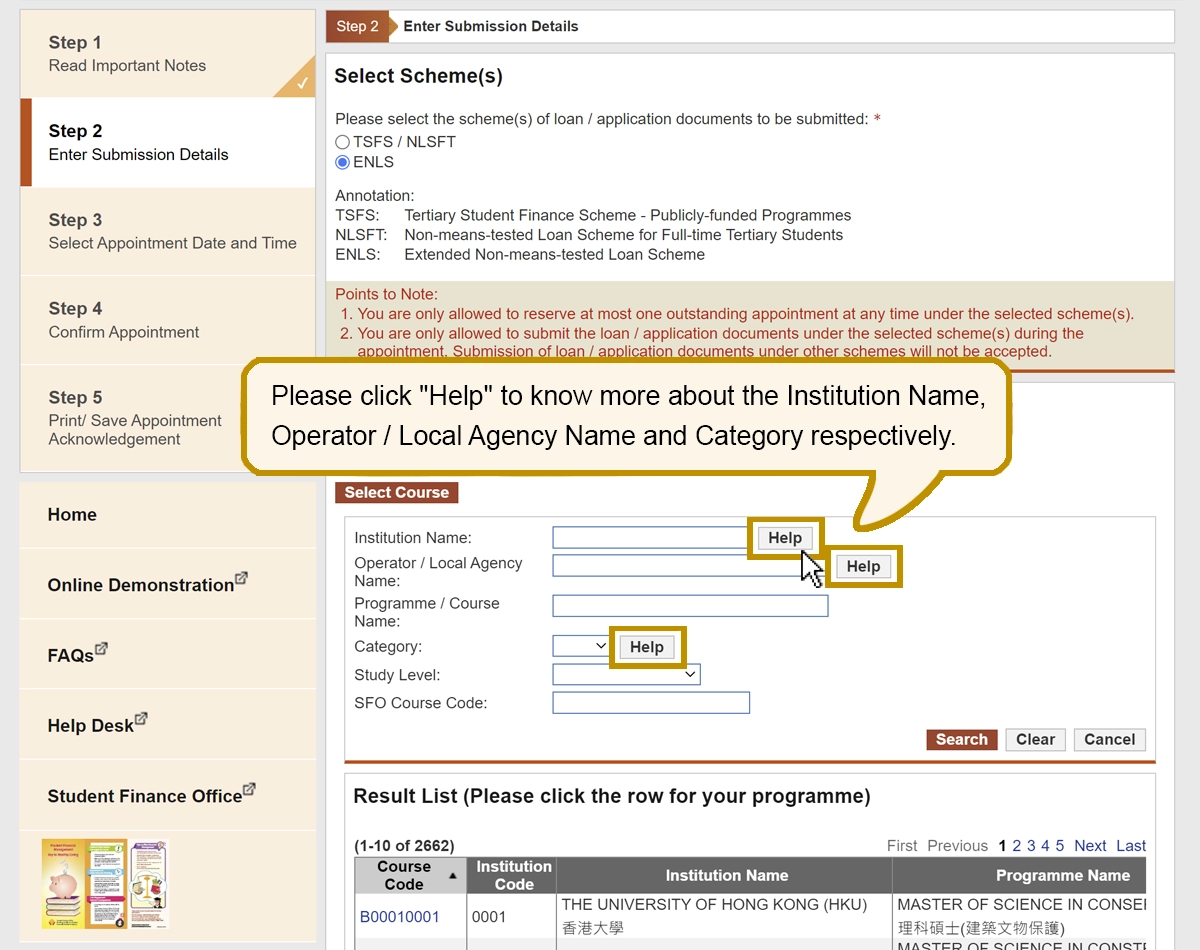
Please click "Help" to know more about the Institution Name, Operator / Local Agency Name and Category respectively.
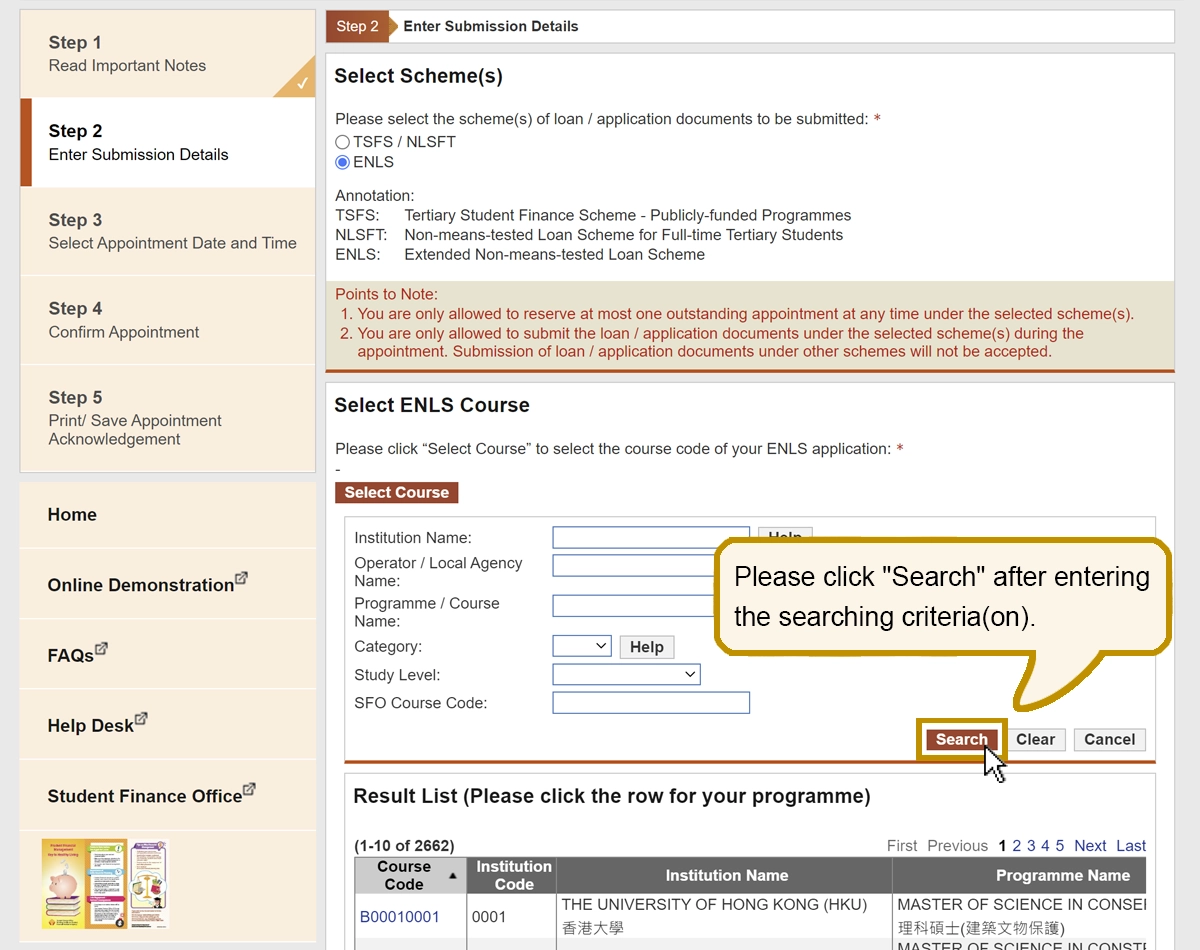
Please click "Search" after entering the searching criteria(on).
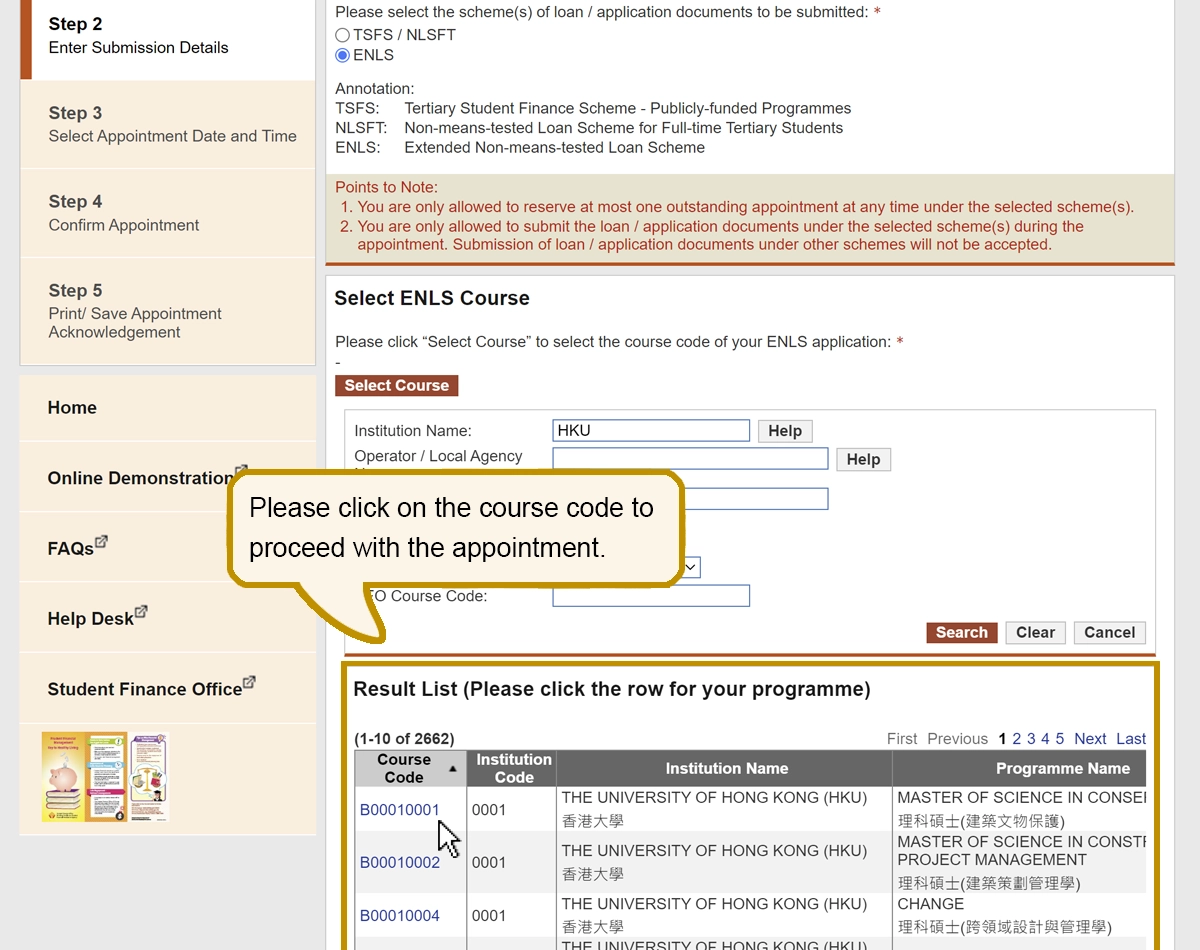
Please click on the course code to proceed with the appointment.
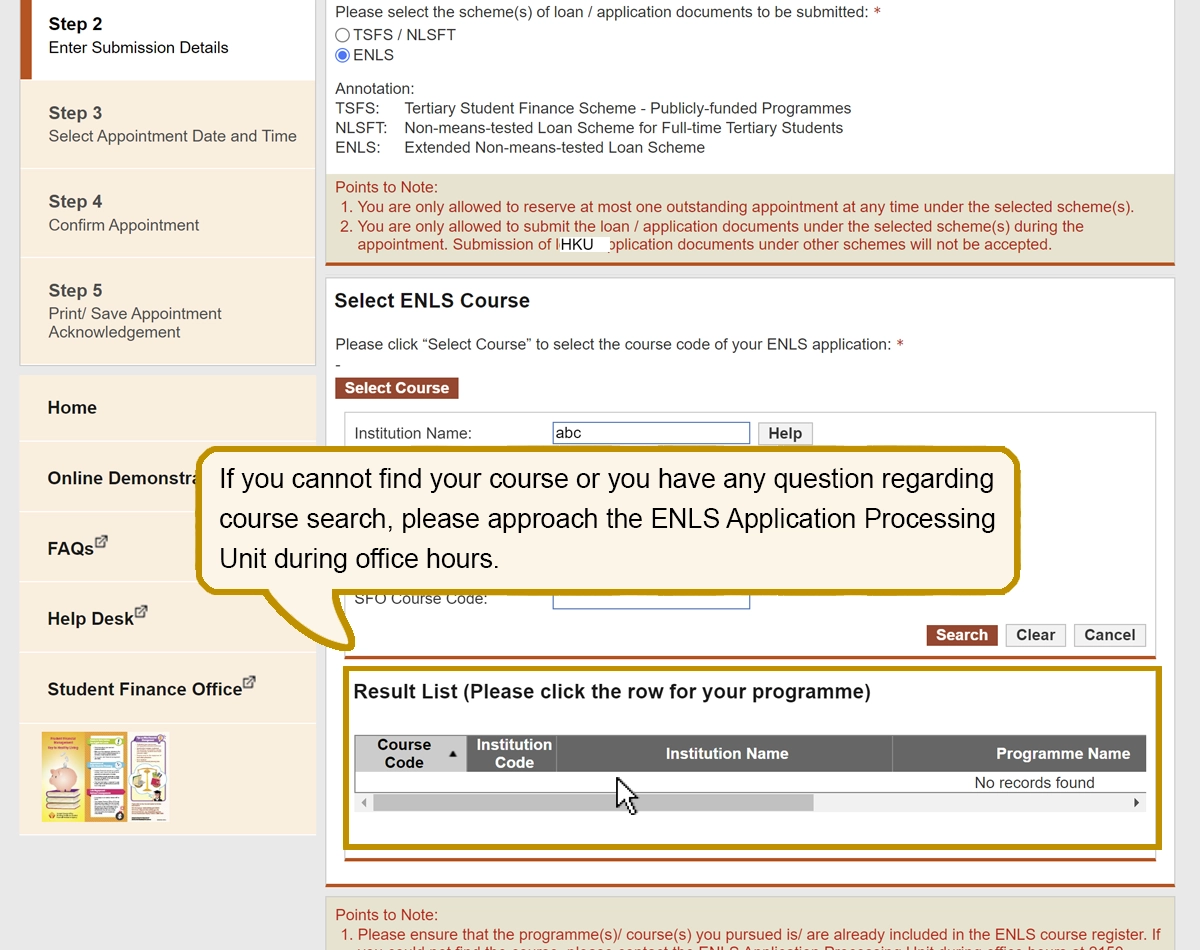
If you cannot find your course or you have any question regarding course search, please approach the ENLS Application Processing Unit during office hours.
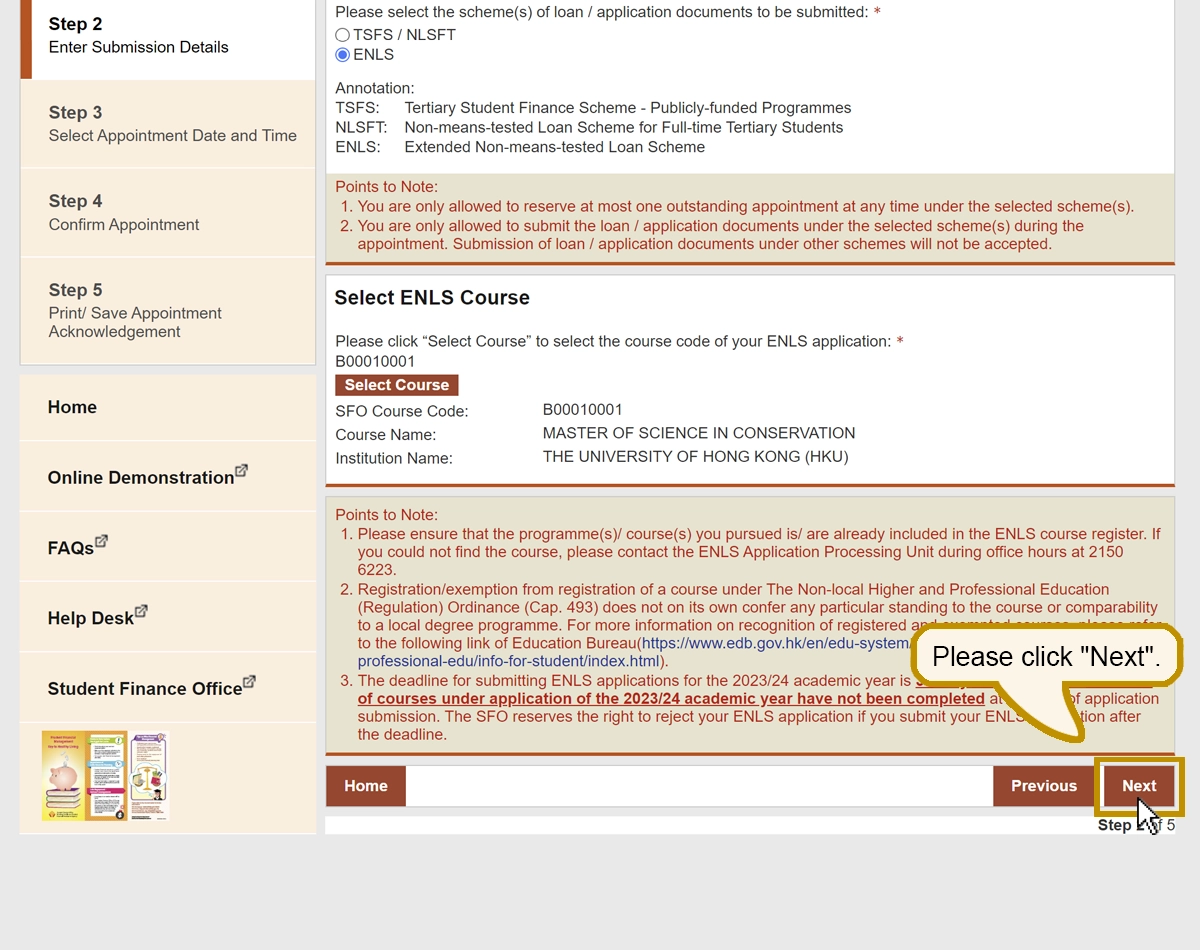
Please click "Next".