

Step 1 - Enter Submission Details (Amendment) (For TSFS/ NLSFT/ FASP/ NLSPS applicants)
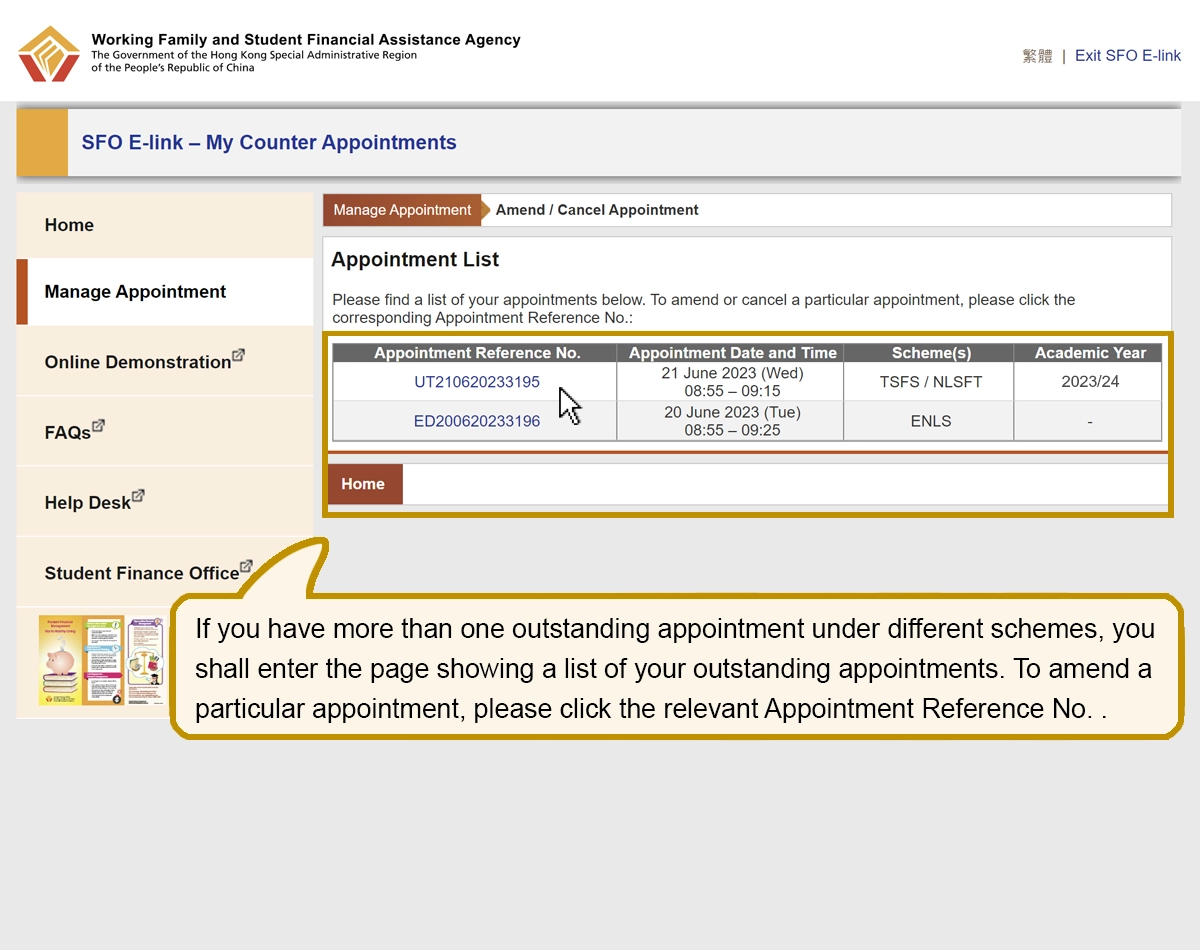
If you have more than one outstanding appointment under different schemes, you shall enter the page showing a list of your outstanding appointments. To amend a particular appointment, please click the relevant Appointment Reference No. .
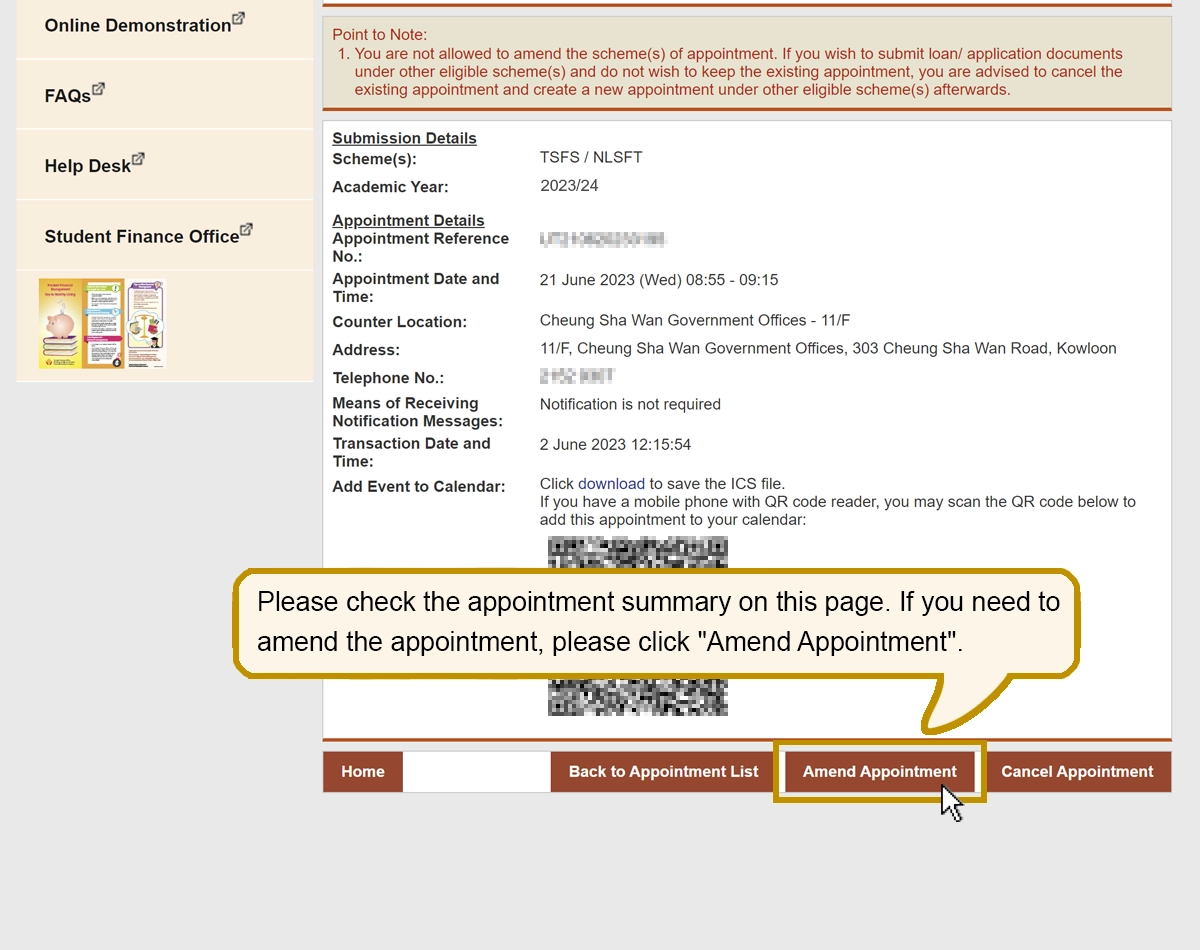
Please check the appointment summary on this page. If you need to amend the appointment, please click "Amend Appointment".
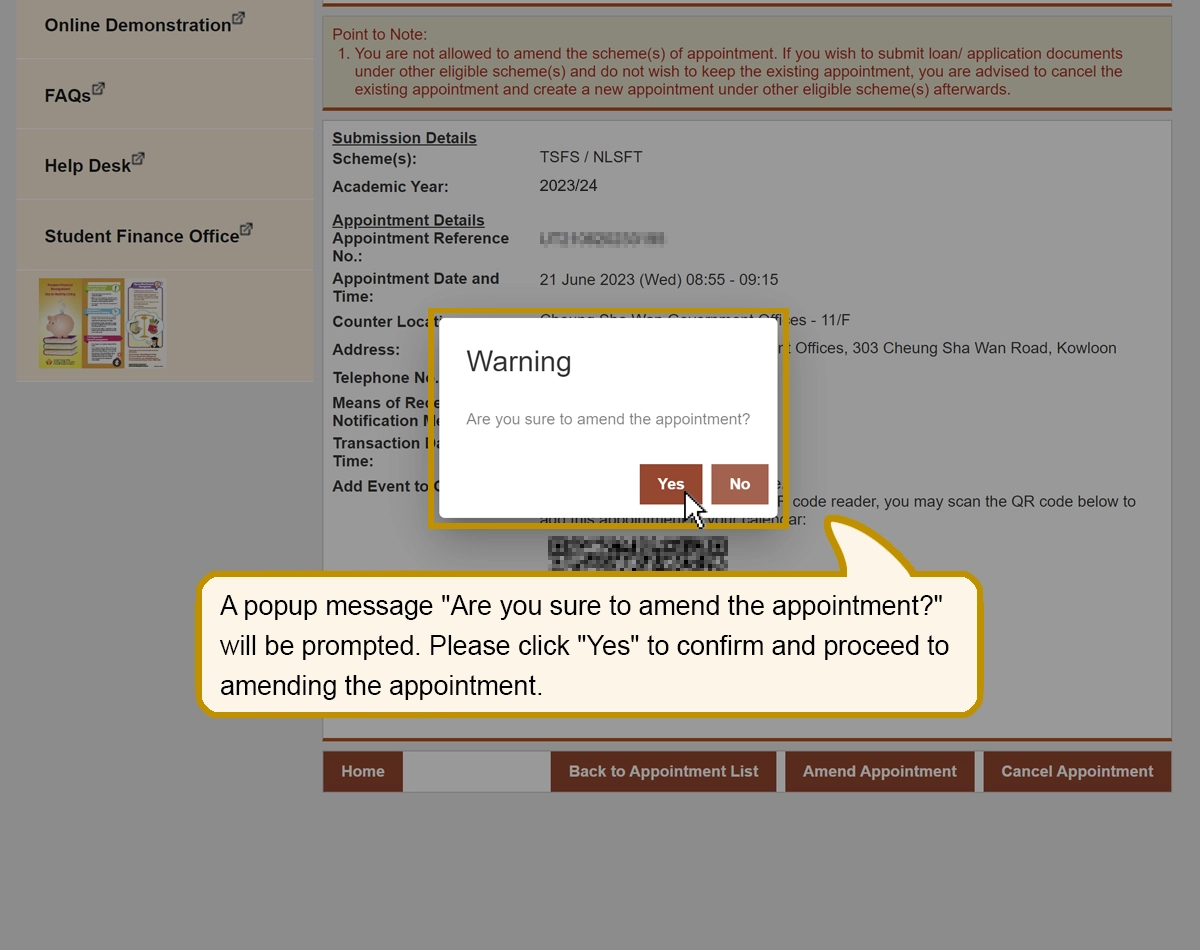
A popup message "Are you sure to amend the appointment?" will be prompted. Please click "Yes" to confirm and proceed to amending the appointment.
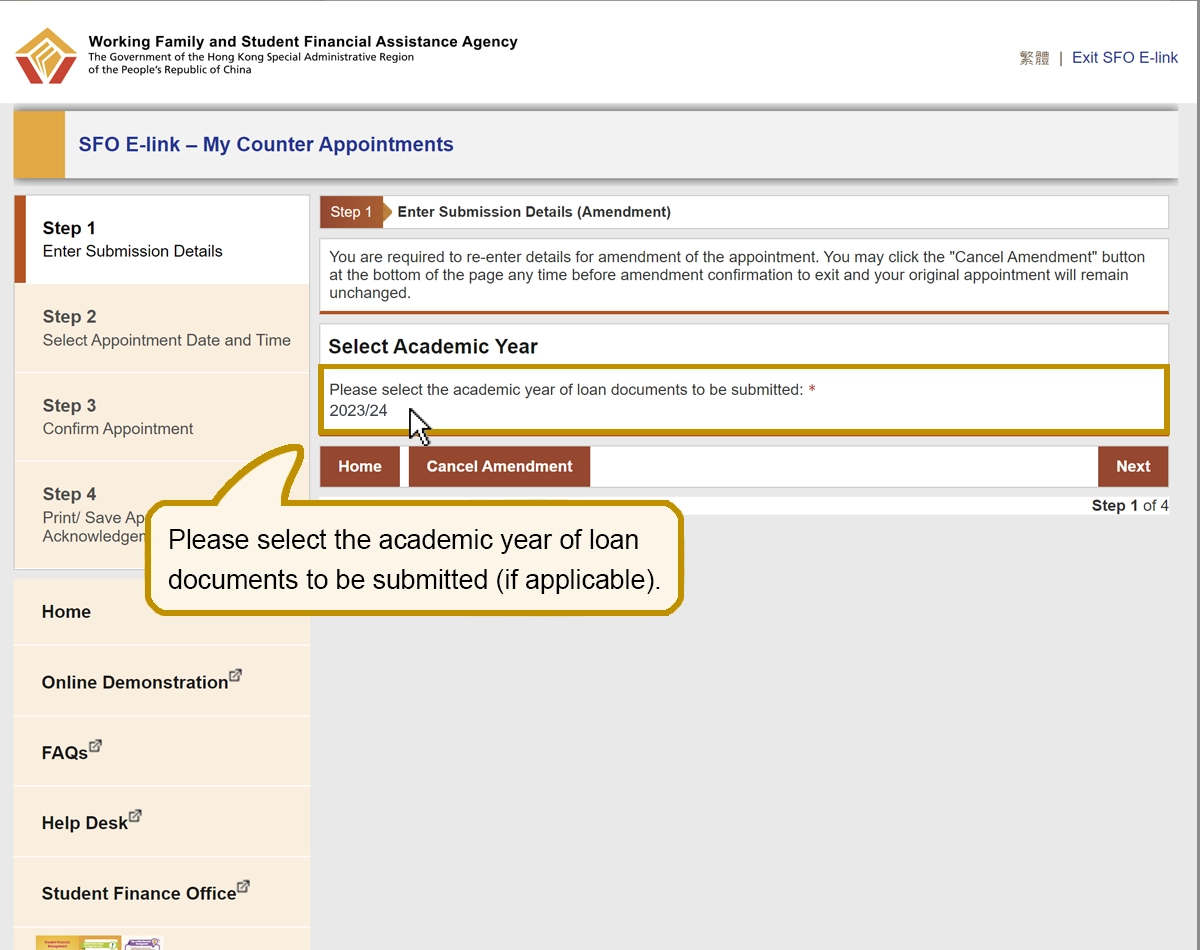
Please select the academic year of loan documents to be submitted (if applicable).
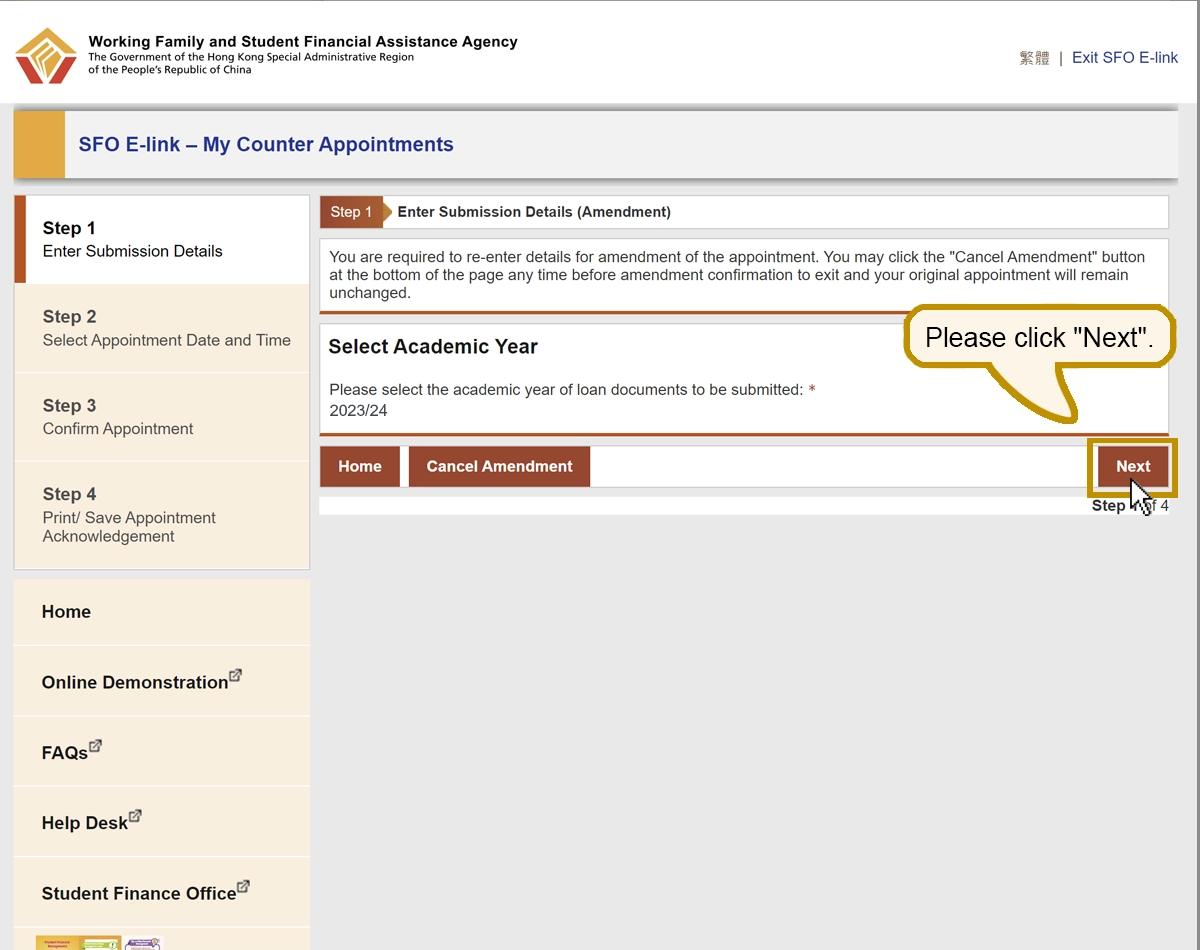
Please click "Next".