

SFO E-link – My Counter Appointments (Appointments for collection of cheques) SFO E-link – My Counter Appointments (Appointments for collection of cheques)

Create Appointment

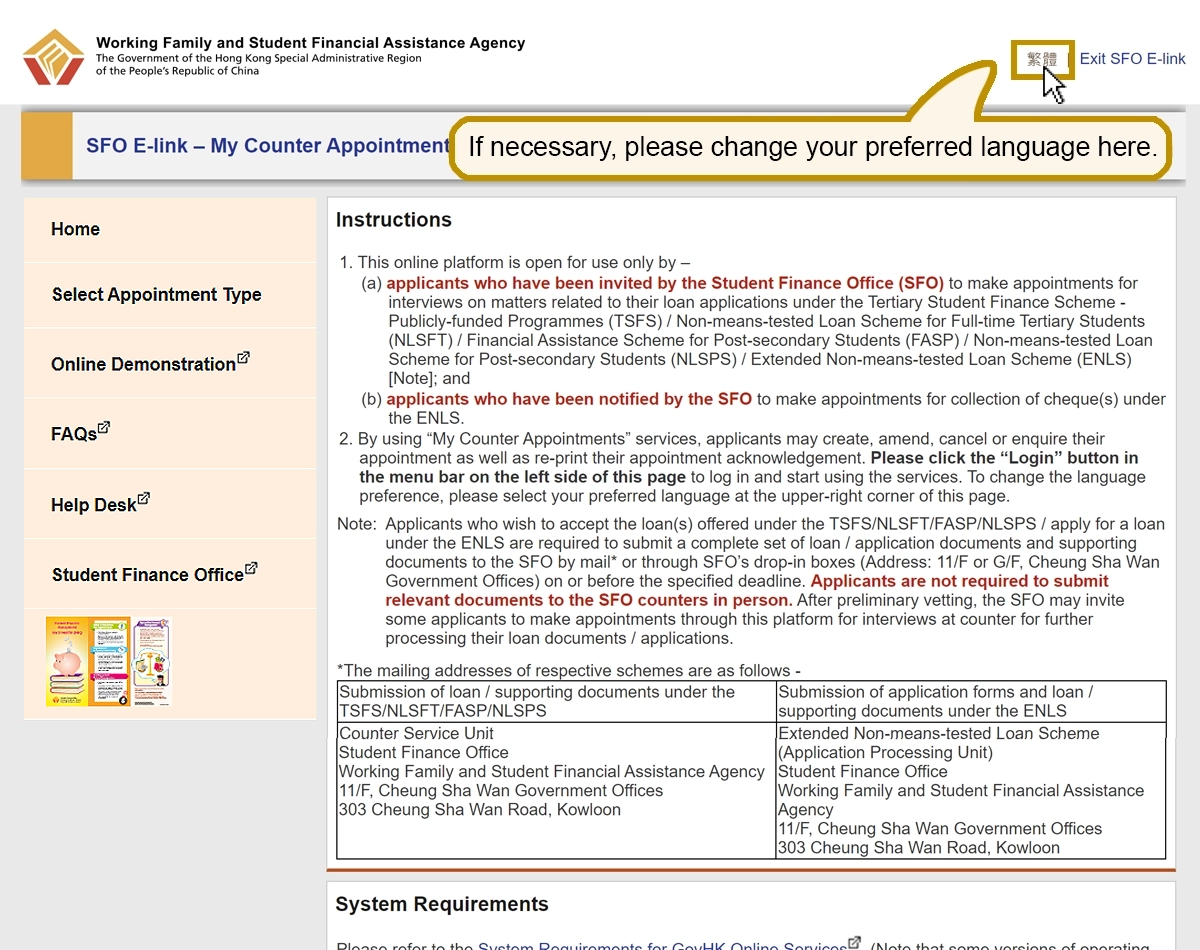
If necessary, please change your preferred language here.
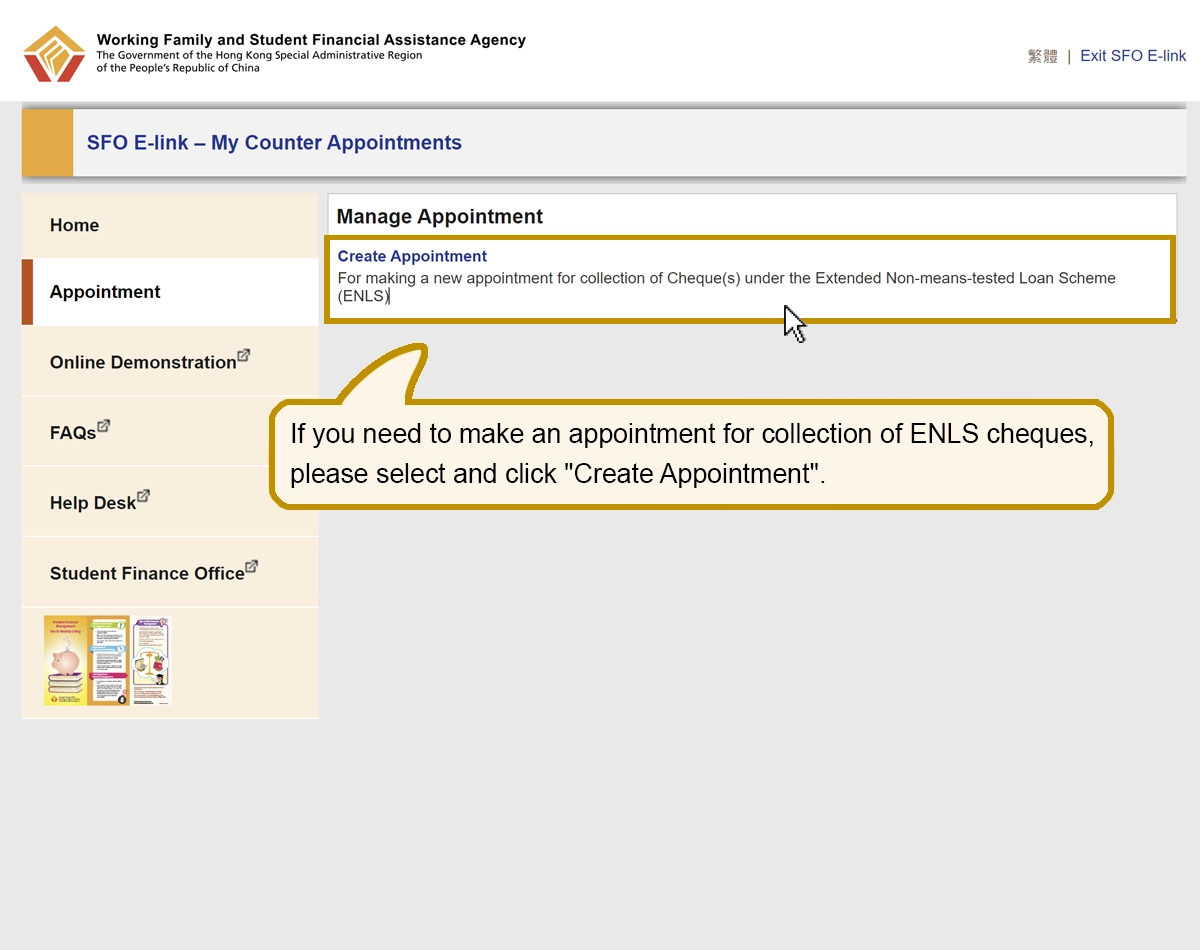
If you need to make an appointment for collection of ENLS cheques, please select and click “Create Appointment”.
If you need to make an appointment for collection of ENLS cheques, please select and click “Create Appointment”.

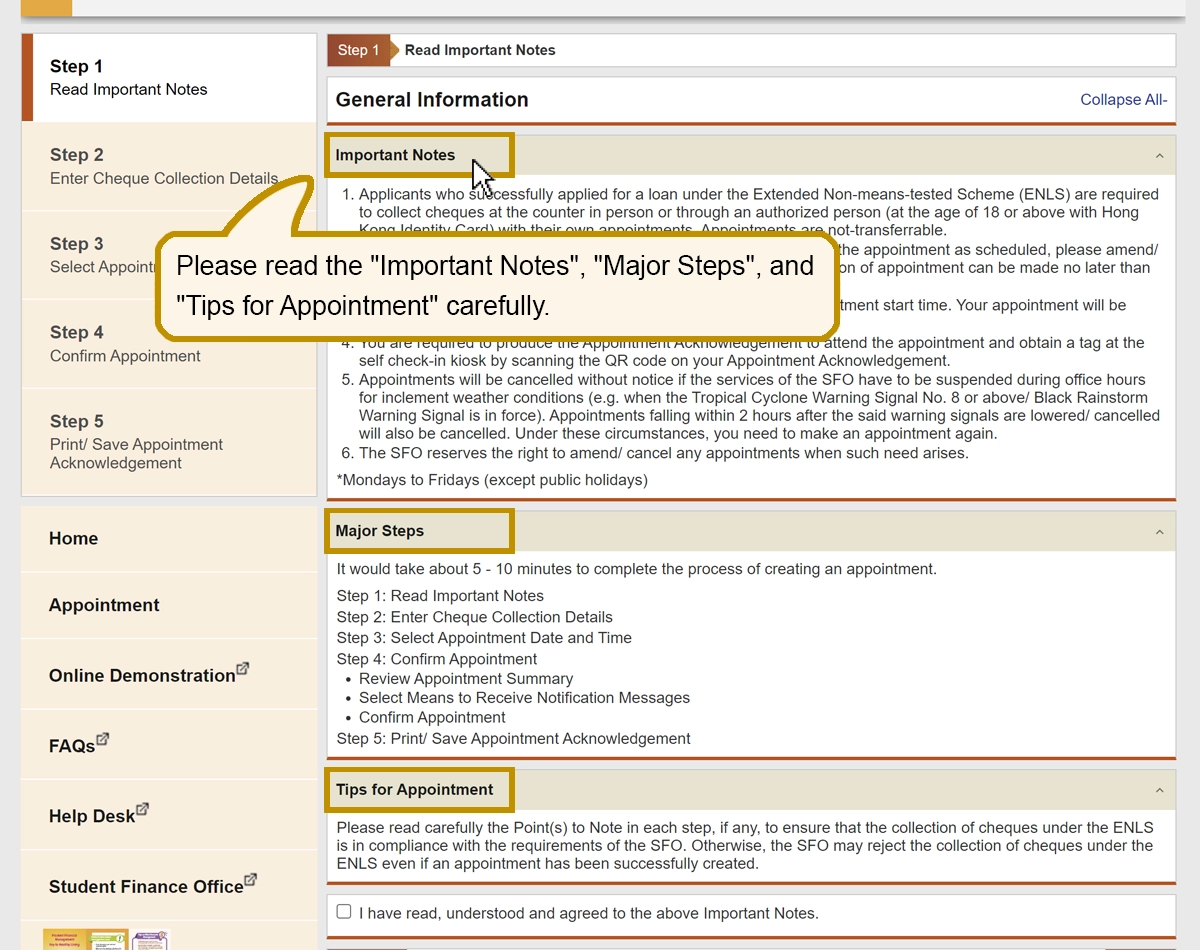
Please read the “Important Notes”, Major Steps”, and “Tips for Appointment” carefully.
Please read the “Important Notes”, Major Steps”, and “Tips for Appointment” carefully.

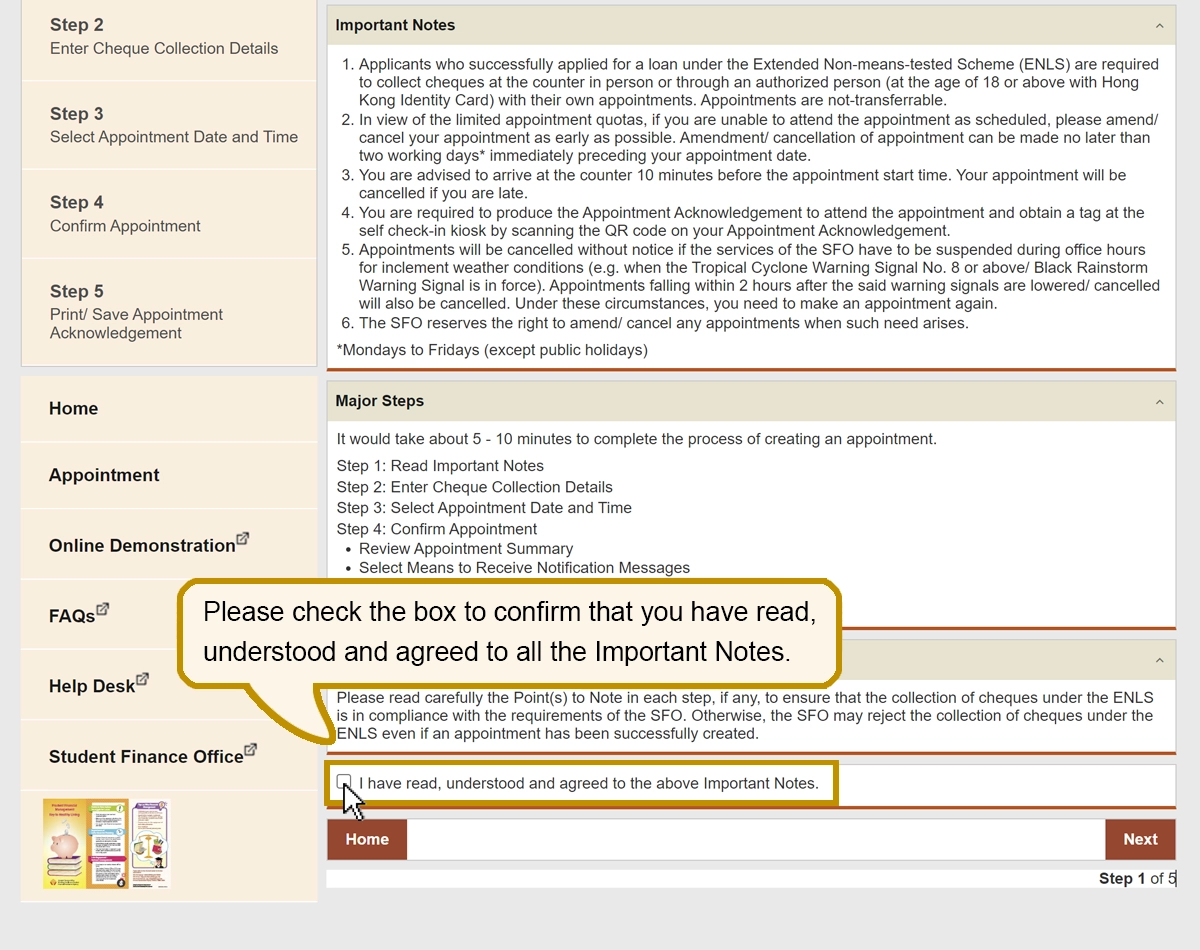
Please check the box to confirm that you have read, understood and agreed to all the Important Notes.
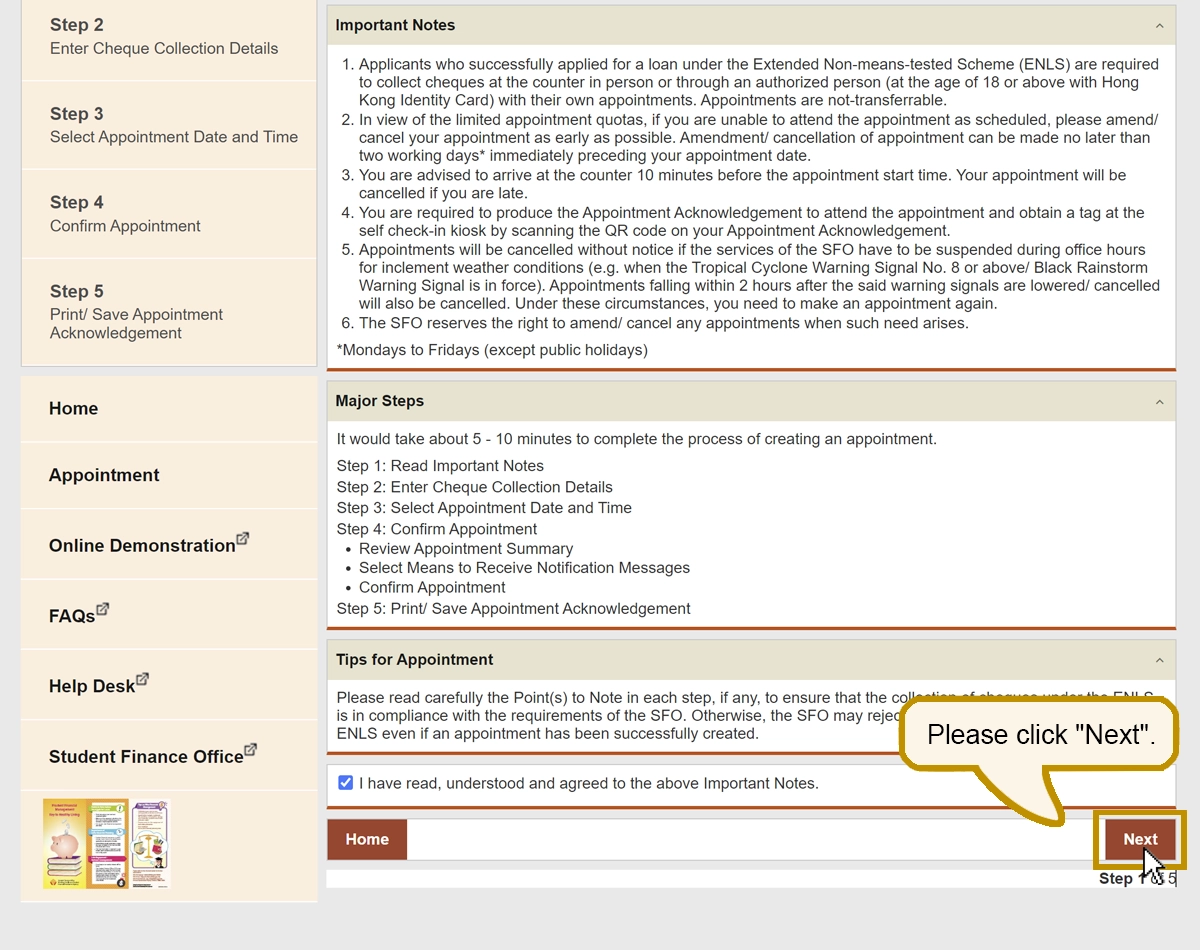
Please check the box to confirm that you have read, understood and agreed to all the Important Notes.

Please click “Next”.
Please click “Next”.

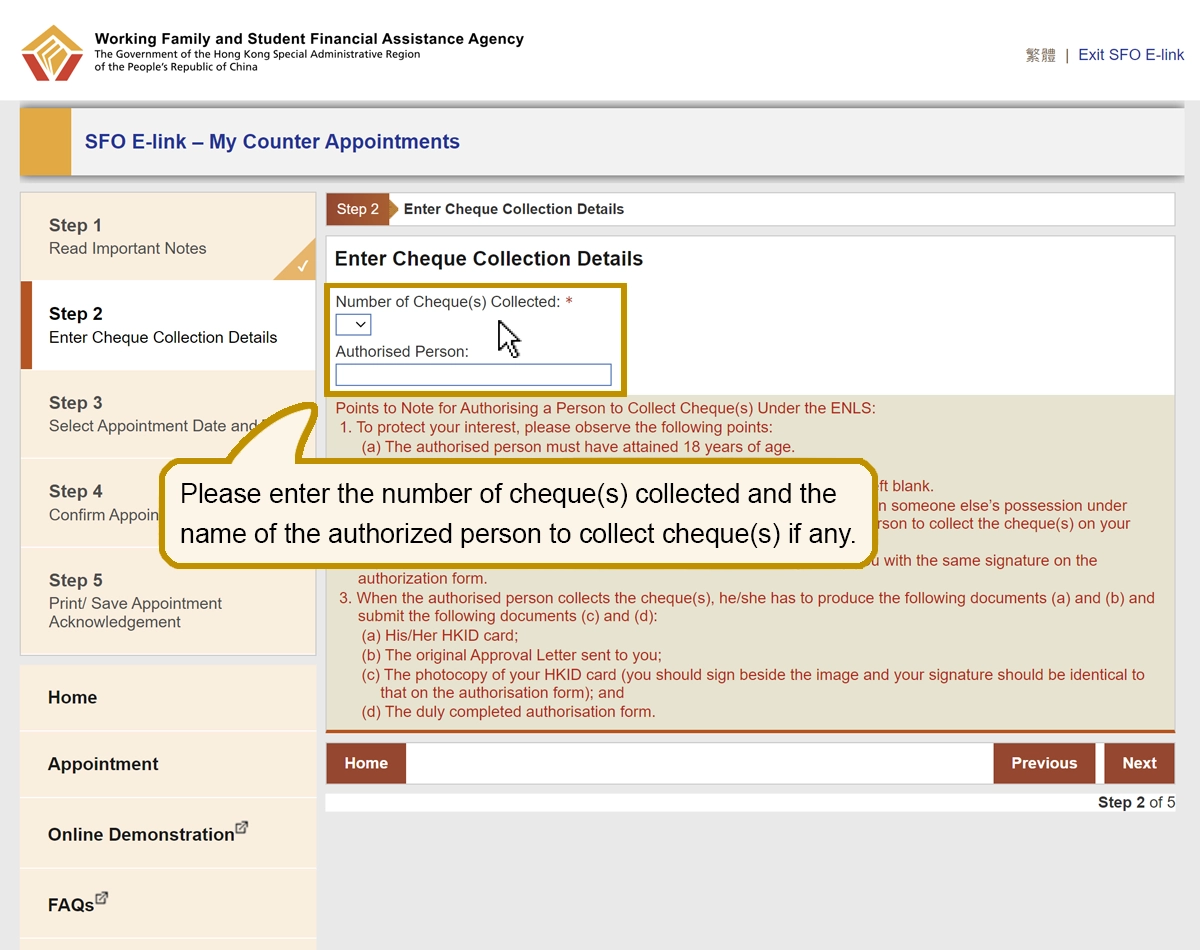
Please enter the number of cheque(s) collected and the name of the authorized person to collect cheque(s) if any.
Please enter the number of cheque(s) collected and the name of the authorized person to collect cheque(s) if any.

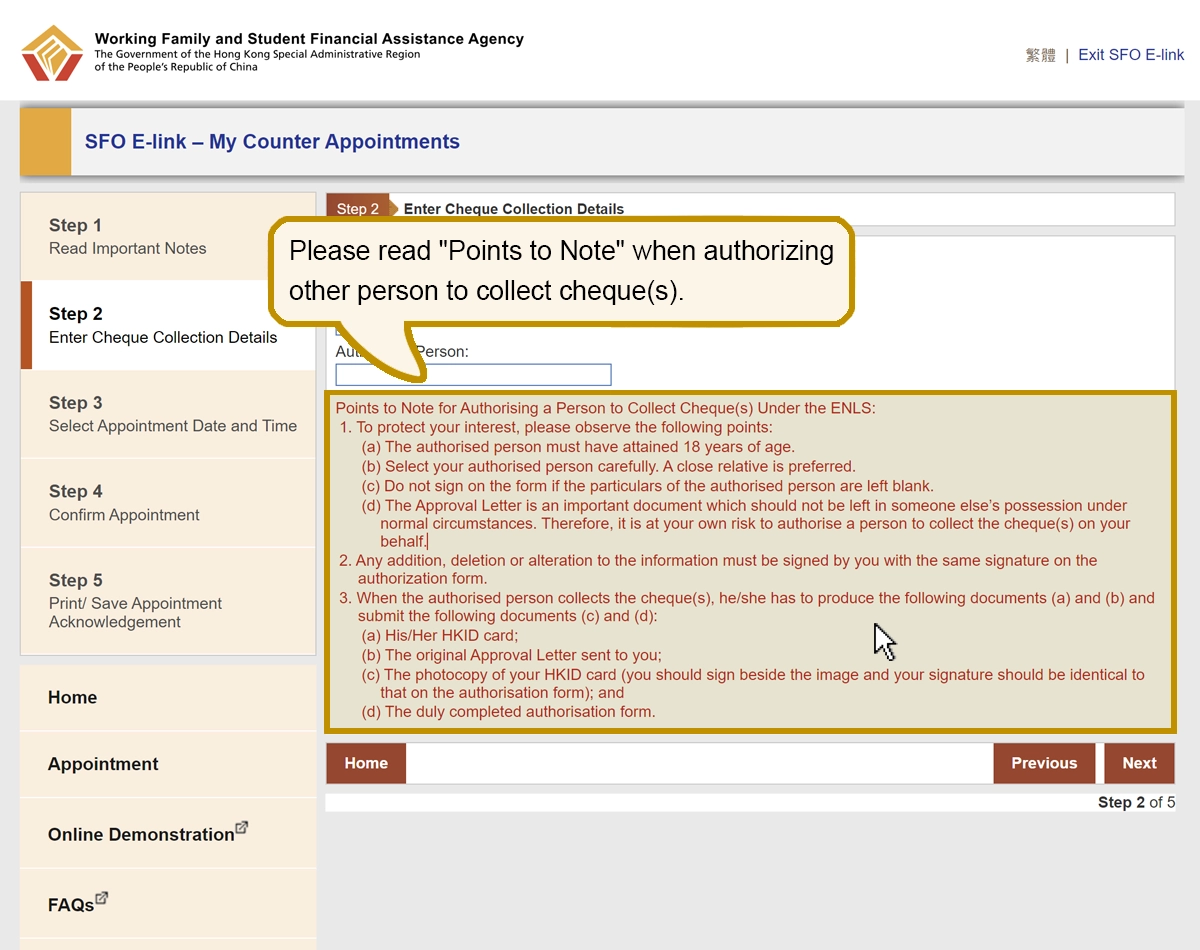
Please read “Points to Note” when authorizing other person to collect cheque(s).
Please read “Points to Note” when authorizing other person to collect cheque(s).

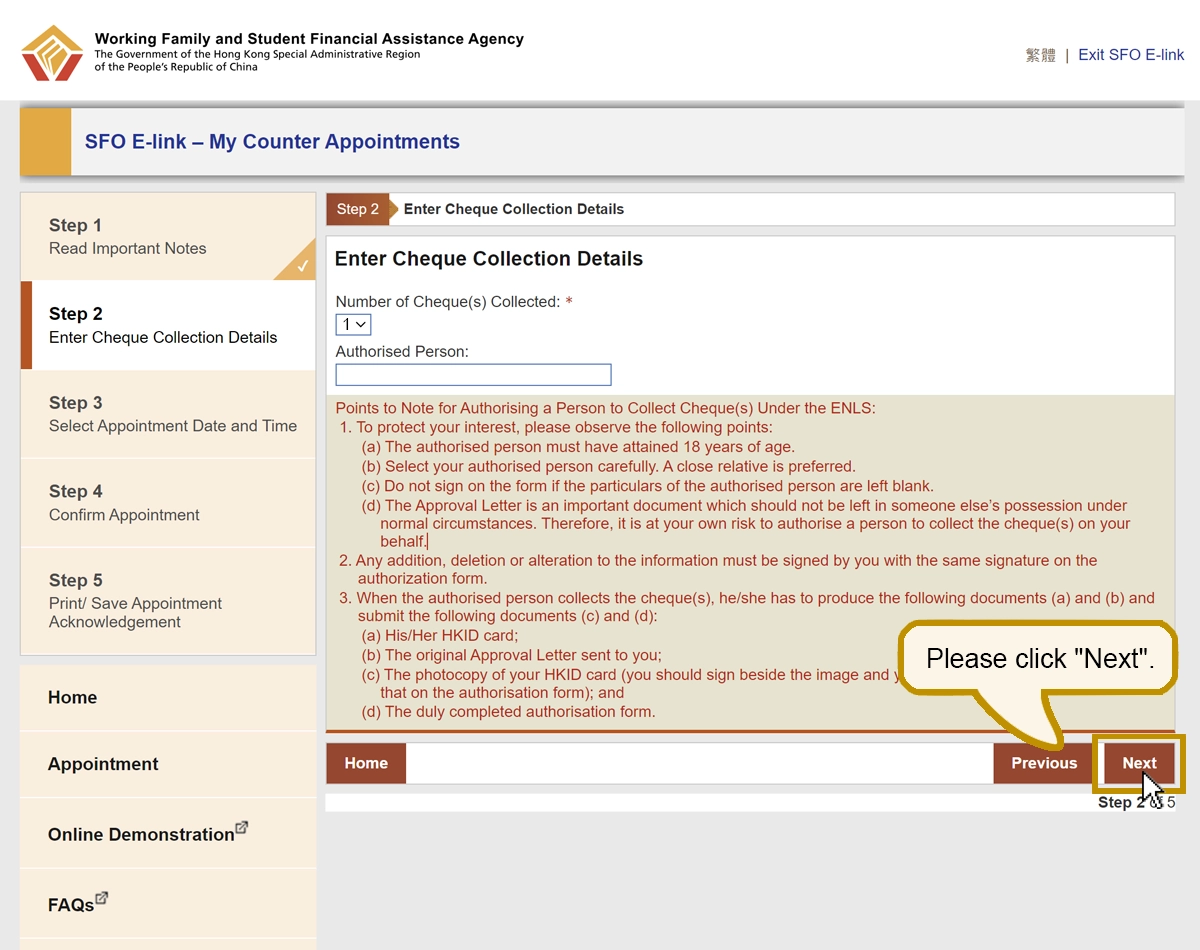
Please click “Next”.
Please click “Next”.

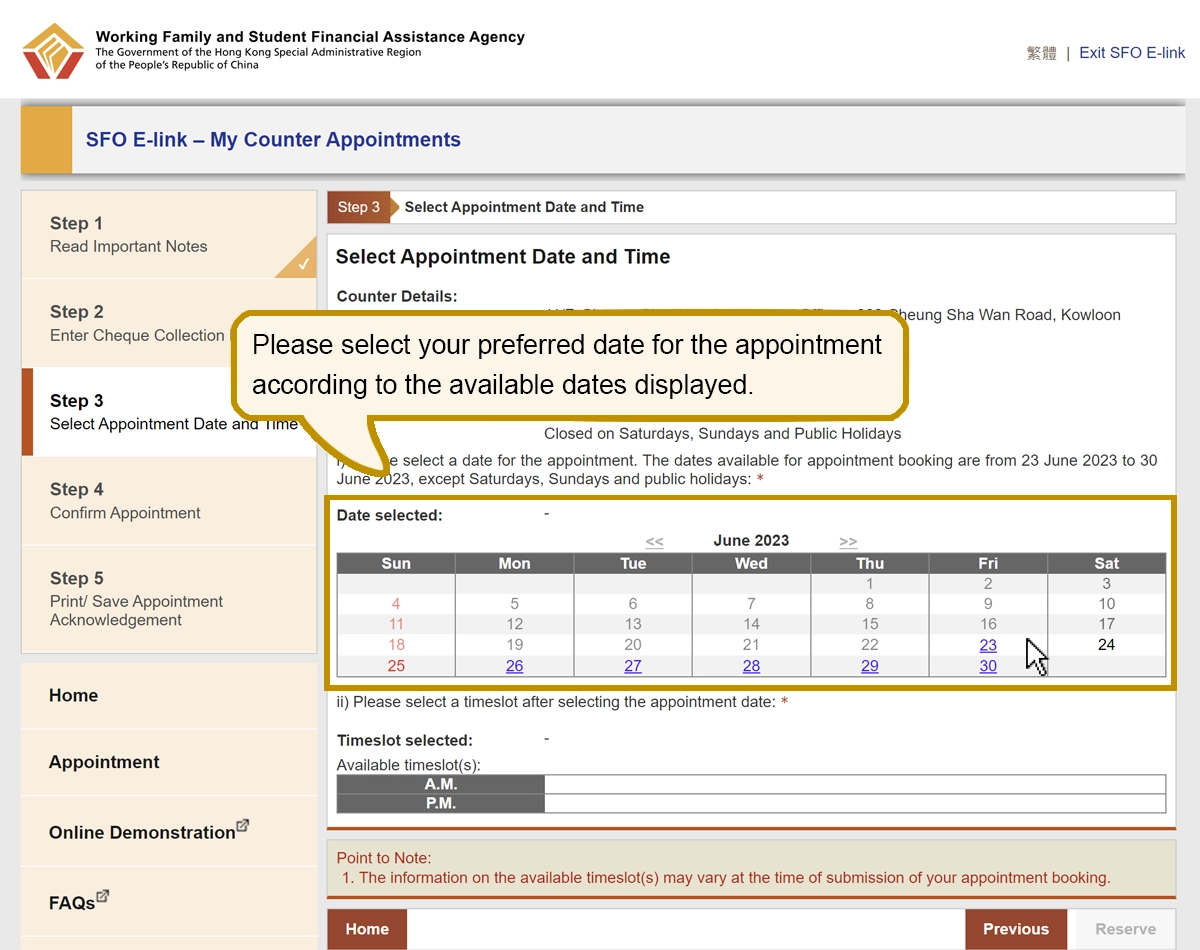
Please select your preferred date for the appointment according to the available dates displayed.
Please select your preferred date for the appointment according to the available dates displayed.

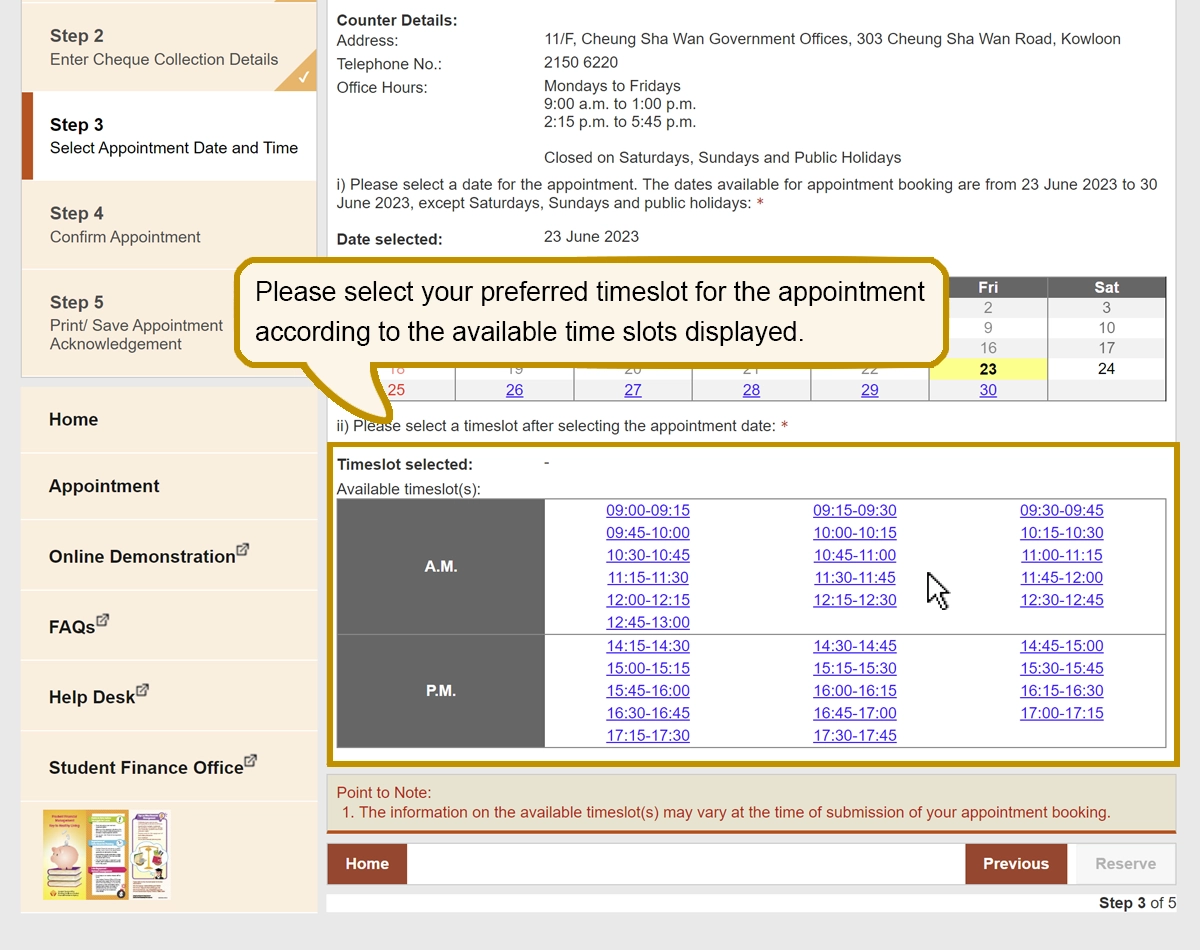
Please select your preferred timeslot for the appointment according to the available time slots displayed.
Please select your preferred timeslot for the appointment according to the available time slots displayed.

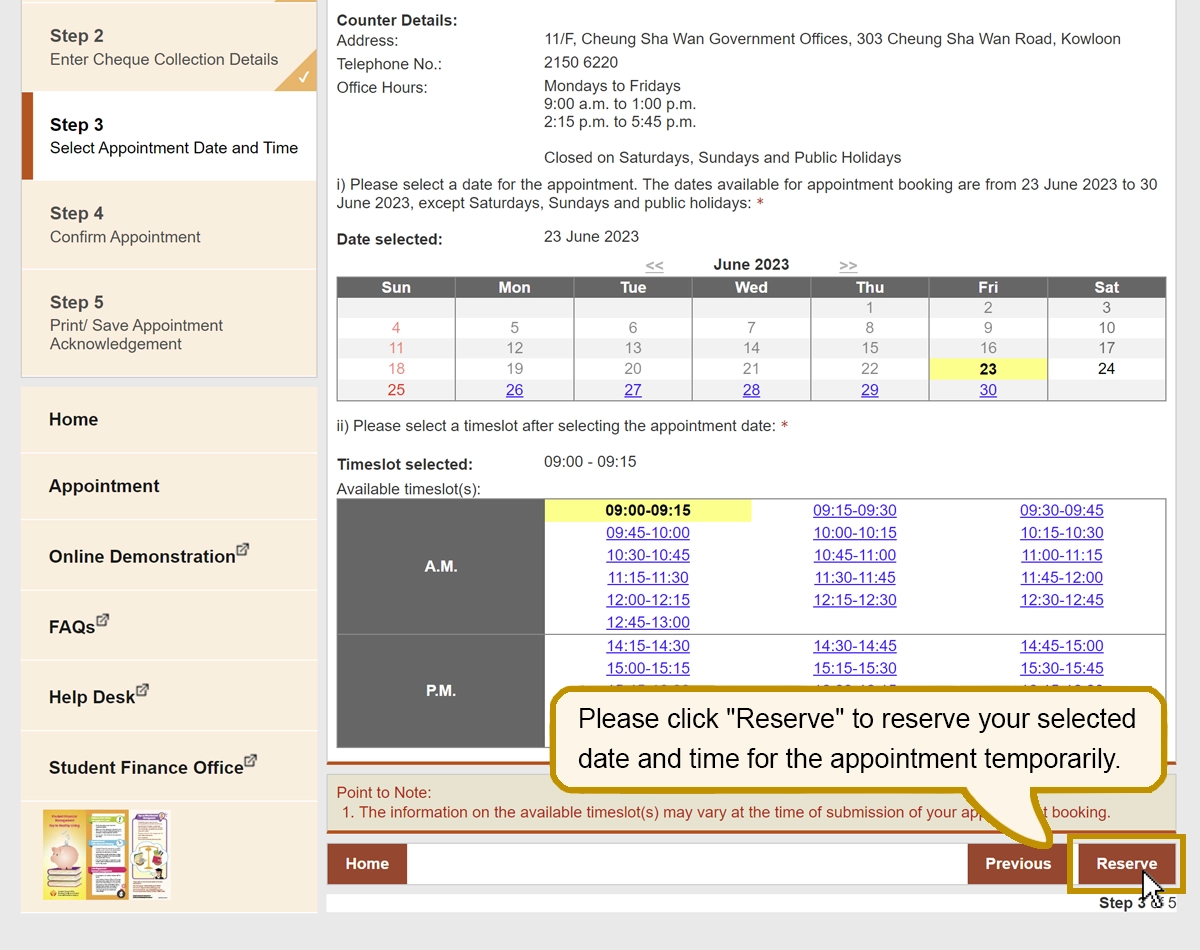
Please click “Reserve” to reserve your selected date and time for the appointment temporarily.
Please click “Reserve” to reserve your selected date and time for the appointment temporarily.

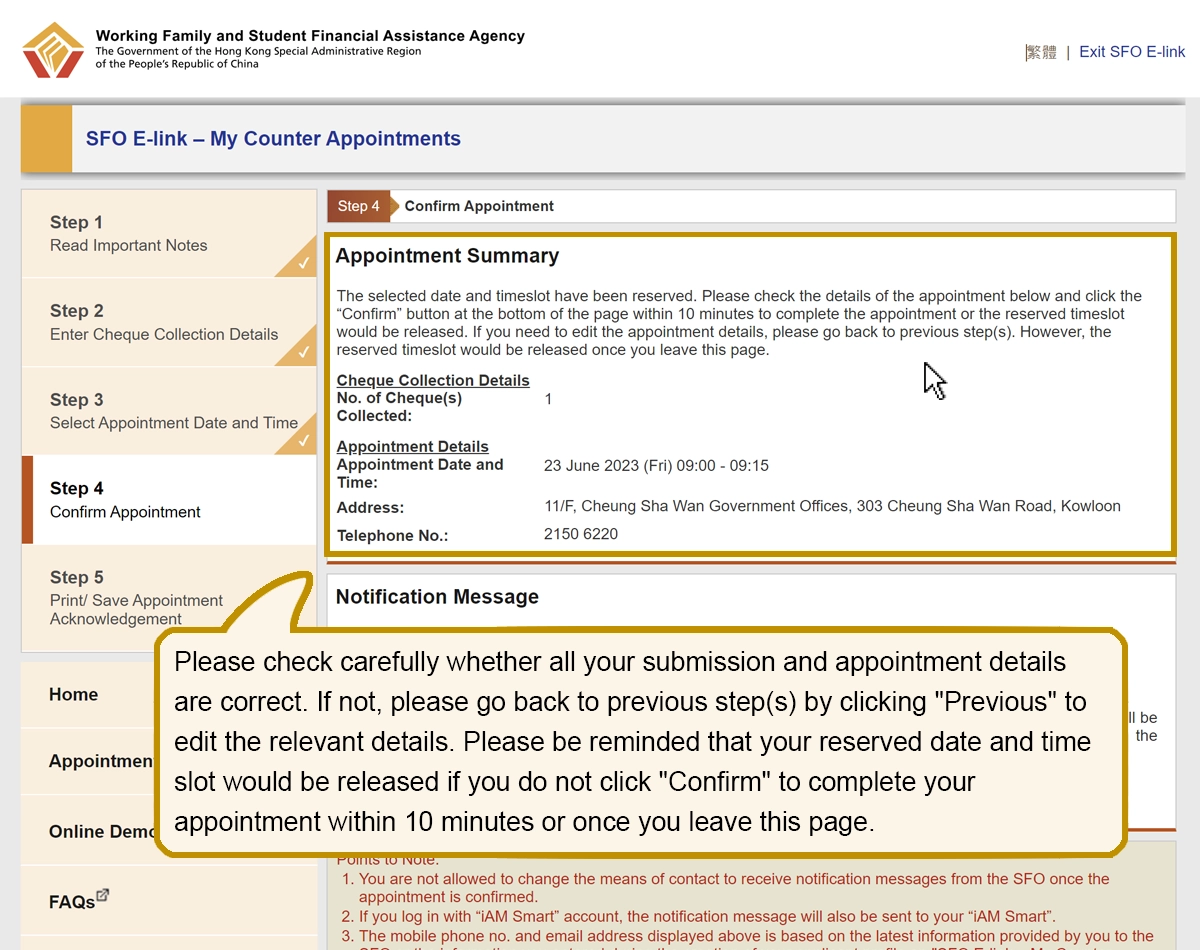
Please check carefully whether all your submission and appointment details are correct. If not, please go back to previous step(s) by clicking “Previous” to edit the relevant details. Please be reminded that your reserved date and time slot would be released if you do not click “Confirm” to complete your appointment within 10 minutes or once you leave this page.
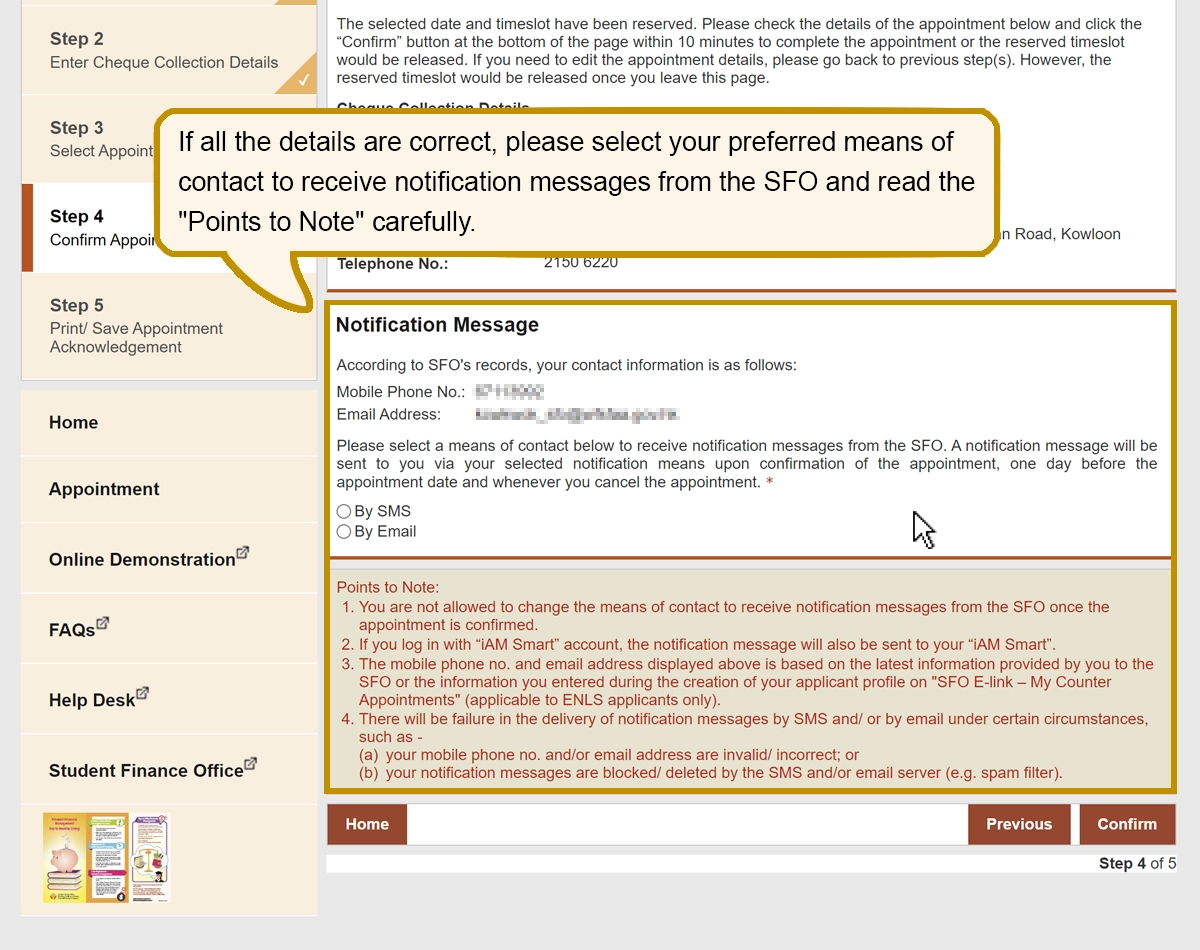
Please check carefully whether all your submission and appointment details are correct. If not, please go back to previous step(s) by clicking “Previous” to edit the relevant details. Please be reminded that your reserved date and time slot would be released if you do not click “Confirm” to complete your appointment within 10 minutes or once you leave this page.

If all the details are correct, please select your preferred means of contact to receive notification messages from the SFO and read the “Points to Note” carefully.
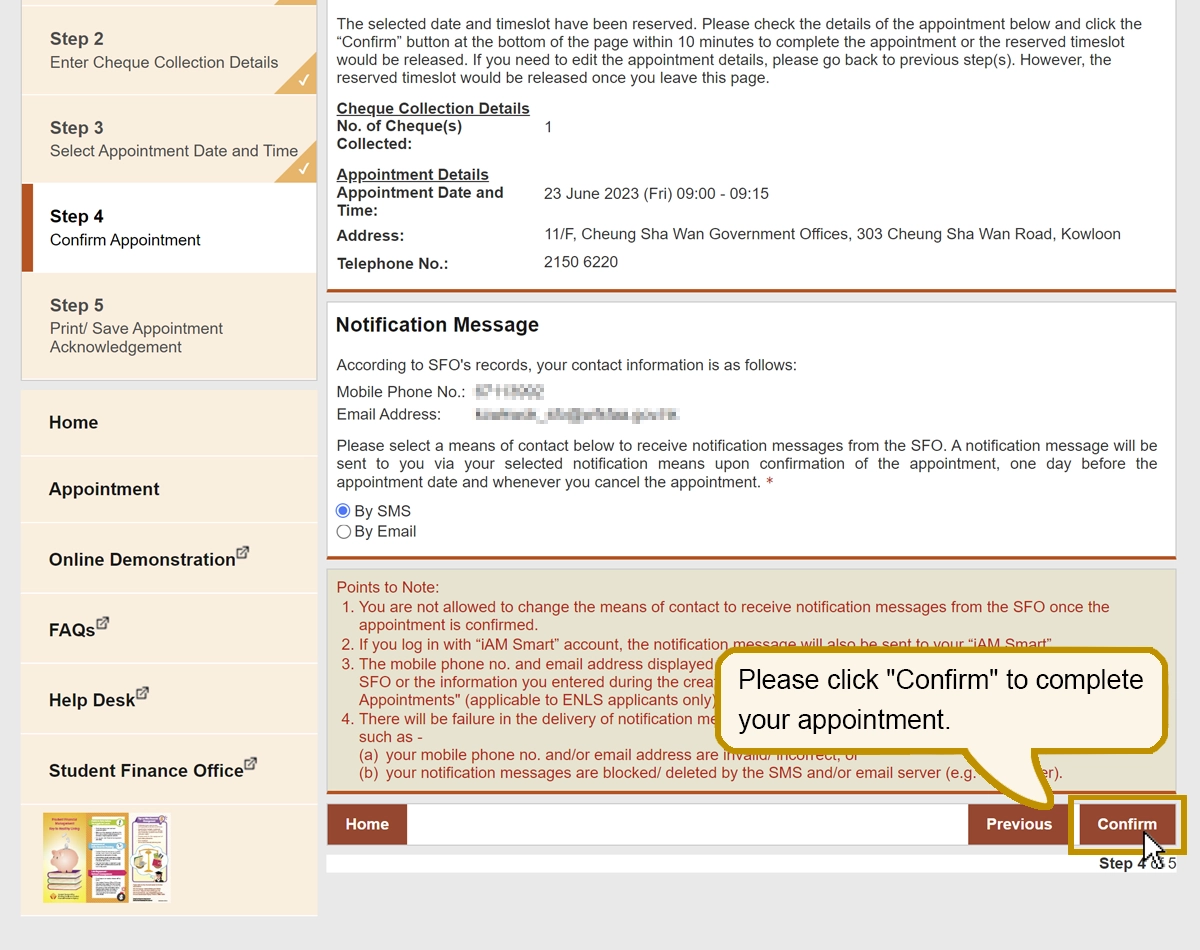
If all the details are correct, please select your preferred means of contact to receive notification messages from the SFO and read the “Points to Note” carefully.

Please click “Confirm” to complete your appointment.
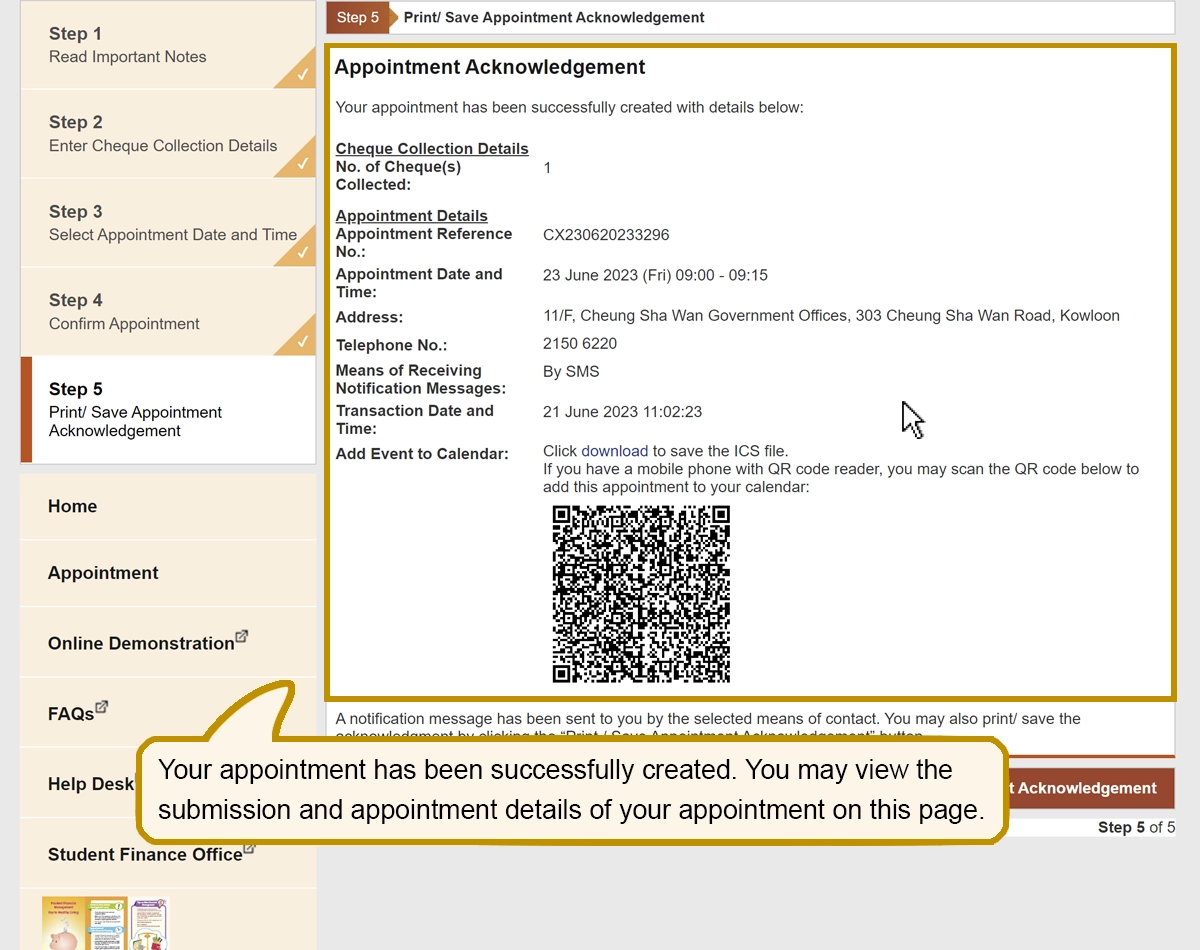
Please click “Confirm” to complete your appointment.

Your appointment has been successfully created. You may view the submission and appointment details of your appointment on this page.
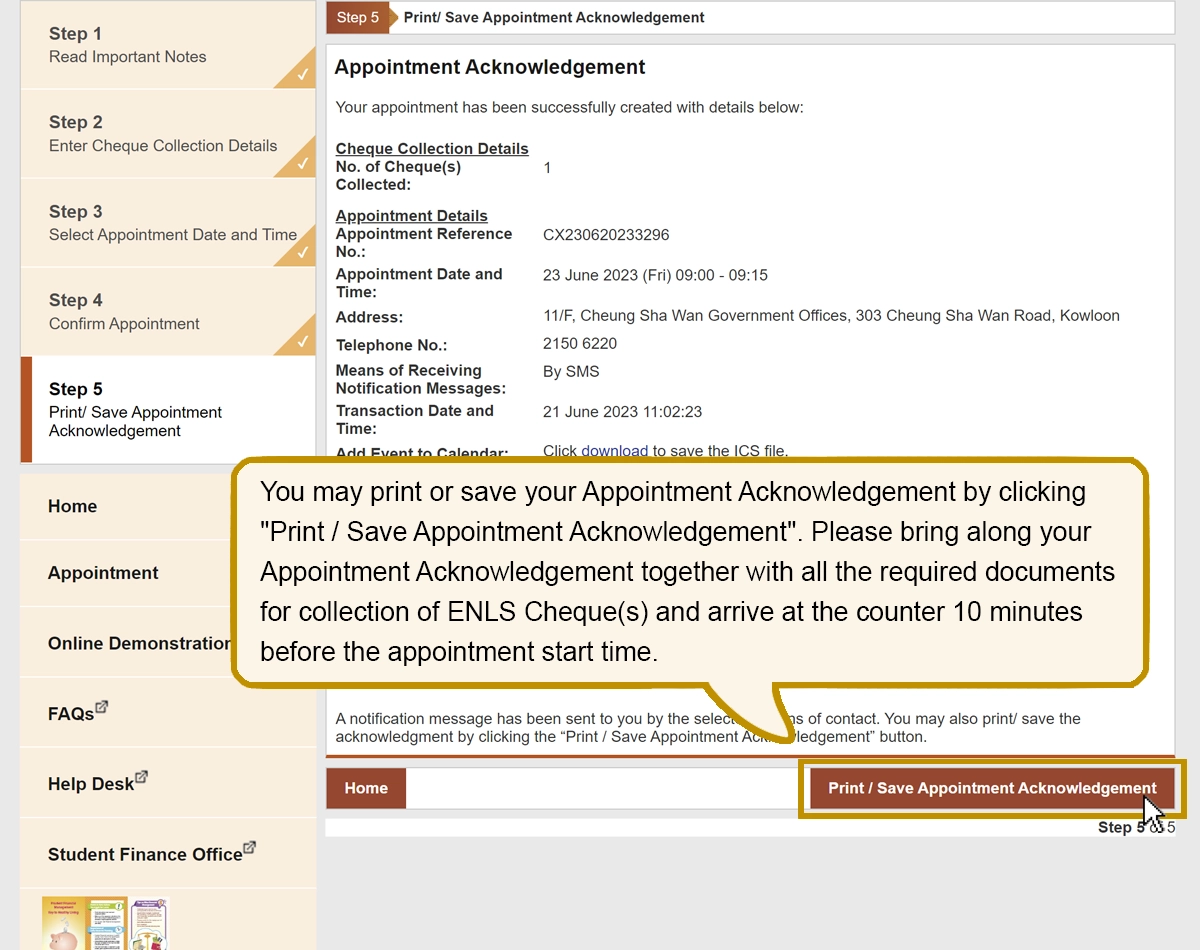
Your appointment has been successfully created. You may view the submission and appointment details of your appointment on this page.

You may print or save your Appointment Acknowledgement by clicking “Print / Save Appointment Acknowledgement”. Please bring along your Appointment Acknowledgement together with all the required documents for collection of ENLS Cheque(s) and arrive at the counter 10 minutes before the appointment start time.

You may print or save your Appointment Acknowledgement by clicking “Print / Save Appointment Acknowledgement”. Please bring along your Appointment Acknowledgement together with all the required documents for collection of ENLS Cheque(s) and arrive at the counter 10 minutes before the appointment start time.